Read All Messages in LINE and WhatsApp Without Opening Every Group Chat
Unread group chats can turn a messaging app into a badge counter. When the messages are low-priority, the fastest fix is to mark them as read from the chat list instead of opening every group one by one.
This does not secretly read messages. It clears the unread state. In some cases it may also affect read receipts, so use it for housekeeping, not for hiding whether you saw something.
Fast Path
| App | Best shortcut | Good for |
|---|---|---|
| LINE | Chats tab -> Options/Edit chats -> Read all or Mark all as read -> Confirm | Clearing every unread LINE chat at once |
| WhatsApp on iPhone | Chats tab -> menu -> Read all | Clearing unread chats quickly |
| WhatsApp on Android | Long press a chat -> menu -> Select all -> menu -> Mark as read | Clearing many unread chats from the list |
LINE: Read All in About Two Seconds
Open the LINE Chats tab. Use the options or edit-chats button at the top of the chat list, choose Read all or Mark all as read, then confirm.
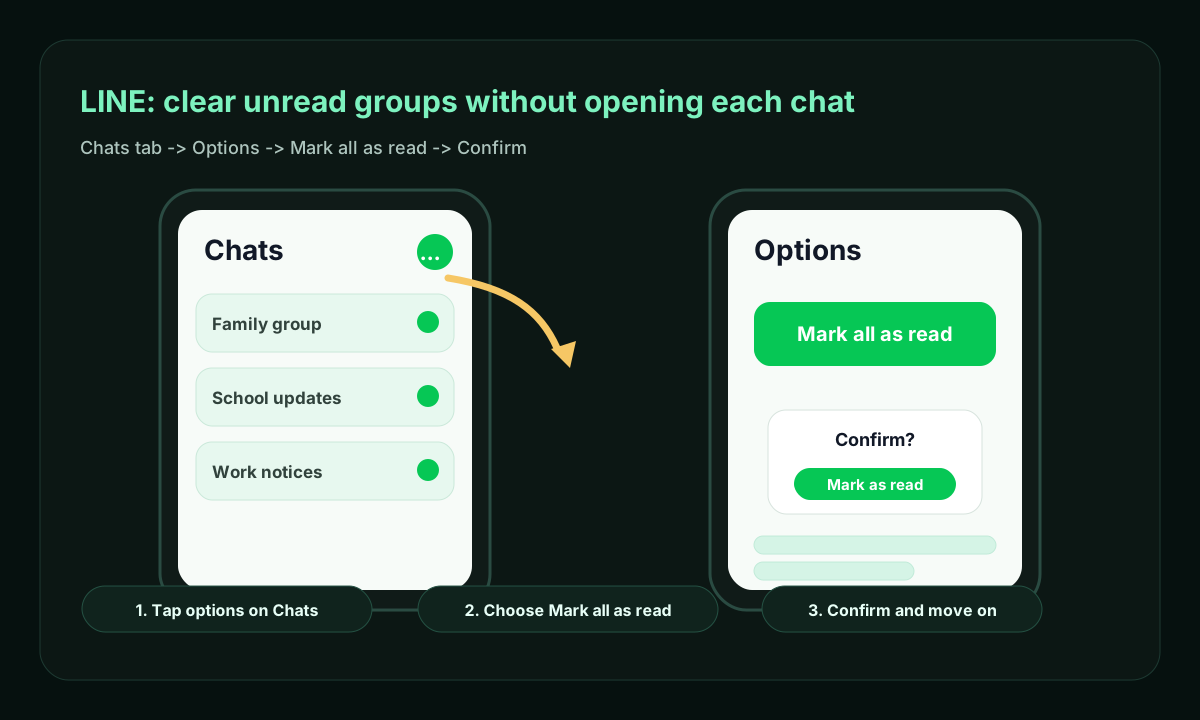
The exact label depends on device, region, and whether you are using a main or sub device. LINE's help page lists the same pattern across mobile and desktop: stay on the chat list, open the list controls, then choose the mark-all-read action.
WhatsApp: Mark Chats as Read From the List
On WhatsApp, the shortcut depends more on platform.
For iPhone, use the chat-list menu and choose Read all when it is available. For Android, long press one unread chat, use the menu to Select all, then open the menu again and choose Mark as read.
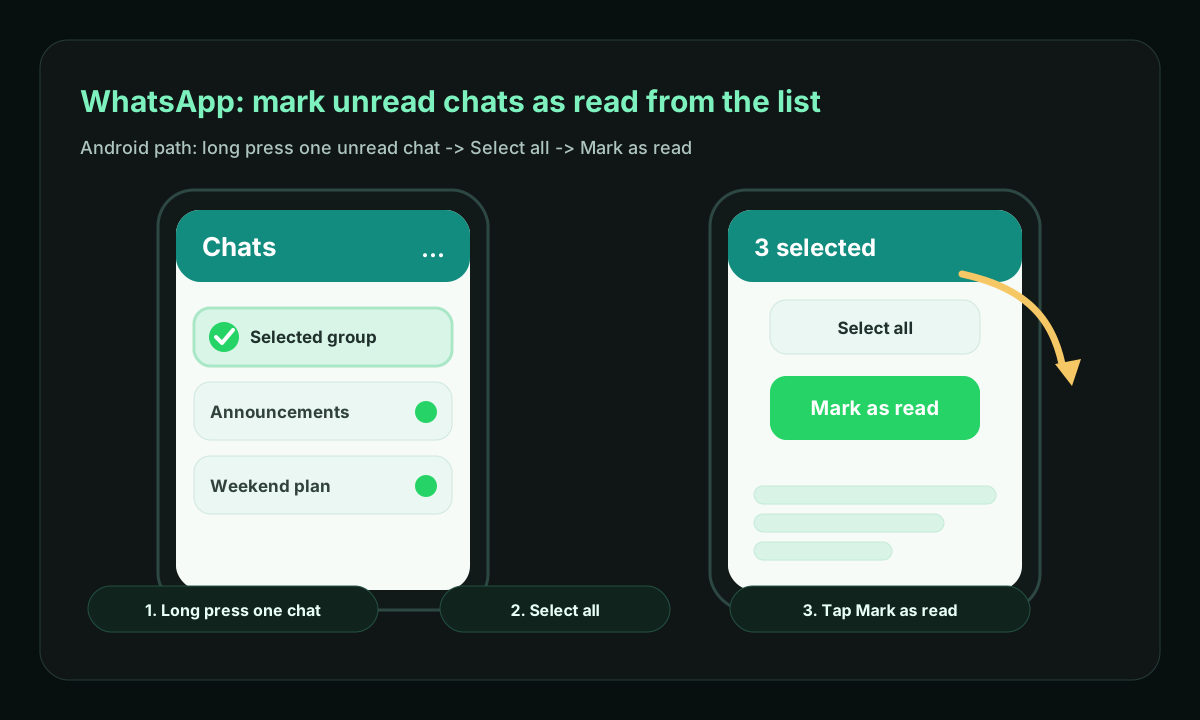
If your WhatsApp version does not show Read all, use the multi-select path. It is still faster than opening every group chat.
What This Does and Does Not Do
Marking chats as read:
- removes unread dots, badges, and unread counters
- keeps you out of noisy group threads
- helps reset the chat list before focused work
- may sync the read state across linked devices
It does not:
- summarize the messages
- hide messages from the sender
- guarantee private reading without read receipts
- replace checking important family, work, or safety chats
Two-Second Habit
Use this only for low-value notification piles:
- Open the chat list.
- Trigger the list menu.
- Tap
Read allorMark as read. - Leave the app.
That habit is useful when groups are mostly announcements, coupons, school notices, or low-priority social chatter. Important threads should still be opened and handled intentionally.
Sources
- LINE Help Center: Checking which chat messages were sent and which are read/unread
- iDownloadBlog practical walkthrough: How to mark one or all WhatsApp messages as read or unread
Takeaways
- LINE has a direct mark-all-read path from the Chats tab.
- WhatsApp supports quick read-state cleanup, but the path varies between iPhone and Android.
- Marking as read is a notification-cleanup tool, not a private reading trick.